Essential Photography Accessories: Bags, Memory Cards and Storage
Accessories are where photography budgets quietly disappear. This guide explains which ones solve real problems, what the specifications mean, and when the cheaper option is fine.
This guide contains Amazon affiliate links, marked “(Amazon)”. If you buy through them, this site may earn a commission at no extra cost to you. Suggestions are based on research, not hands-on testing. Read the disclosure.
Camera bags
The right bag is the one you are happy to carry. Common types and who they suit:
| Type | Suits | Trade-offs |
|---|---|---|
| Sling / shoulder bag | One body and one or two lenses, street and travel | Uneven weight on long days |
| Backpack | Hiking, larger kits, laptops | Slower to access gear |
| Padded insert | Using a bag you already own | Less structure and weather protection |
| Rolling case | Studio and event kits, air travel | Heavy, poor on rough ground |
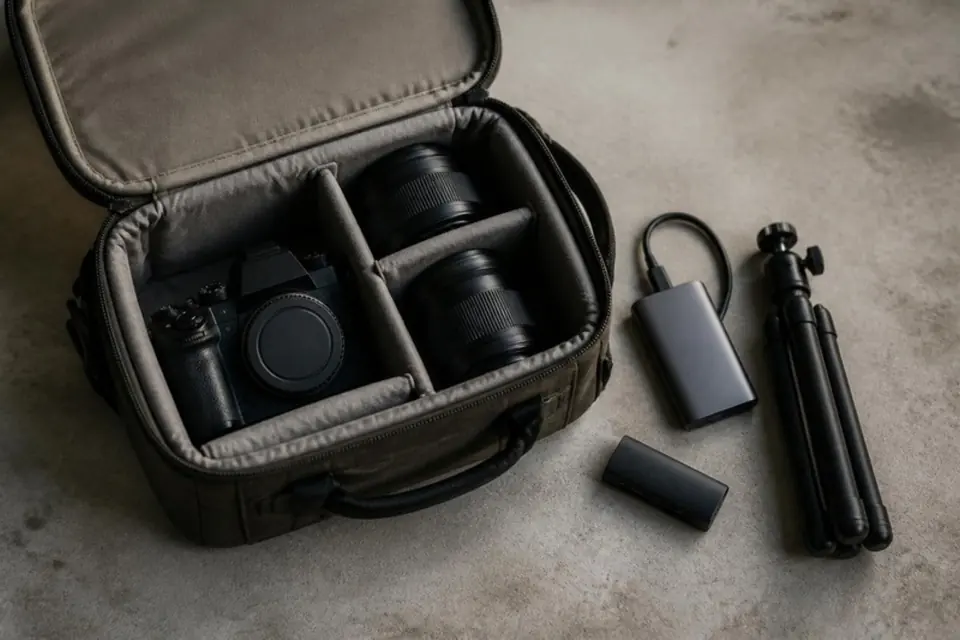
Features to look for: adjustable dividers, a weather-resistant base, a luggage pass-through strap for travel, and quick side access if you shoot on the move.
Browse camera sling bags · Browse camera backpacks
Memory cards: what the ratings mean
- Capacity — how much it holds. Several mid-sized cards spread the risk of a card failing.
- Speed class (V30, V60, V90, U3) — the minimum sustained write speed. V30 is sufficient for most photography and 4K video; V60/V90 matter for high-bitrate video and long bursts.
- UHS-I vs UHS-II — UHS-II cards have an extra row of contacts and are faster only in cameras and readers that support them. If your camera is UHS-I, the extra cost is mostly wasted.
- CFexpress — used by some higher-end cameras; check your camera's manual before buying.
Buy from established brands and sellers you trust; counterfeit cards can report false capacities and lose files.
Browse V30 SD cards · Browse UHS-II SD cards
Backup storage
A photo that exists in one place is not backed up. A practical approach for most people: the working copy on your computer, a second copy on an external drive, and a third copy off-site or in cloud storage.
Portable SSD
Fast, compact and more robust than spinning drives. Good for working files and travel backups.
External hard drive
Cheaper per terabyte and fine for an archive that is updated weekly.
Card reader
A fast USB-C reader makes importing quicker than cabling the camera. Match UHS-II readers to UHS-II cards.
Tripods
Stability, weight and height are the trade-off; you rarely get all three cheaply. Travel tripods fold small but can wobble at full height. Aluminum is cheaper; carbon fiber is lighter and damps vibration better. For occasional use, a mid-priced aluminum tripod with a ball head is usually enough.
Cleaning
A rubber air blower, microfiber cloths and a lens pen cover most needs. Leave sensor swabs until you are comfortable with the process, or have the sensor cleaned professionally.
Portrait lighting basics
Window light and a reflector will take you a long way. When you want more control:
Collapsible 5-in-1 reflector
Bounces light into shadows. Inexpensive and useful from the first portrait session.
LED panel or light with softbox
Continuous light shows you exactly what you will get — helpful for learning and for video.
Speedlight (flash)
More power and portability than LEDs. Check compatibility with your camera brand's flash system.
Backdrop and stand
A neutral gray or muslin backdrop is the most versatile start for home portraits and headshots.
When the cheaper option is fine
- Lens cloths, blowers and reflectors — expensive versions offer little extra.
- Card speed beyond what your camera can use.
- A tripod for occasional night shots or self-timer family photos.
Spend more on things that protect your work: reliable memory cards, backup drives and a bag that actually protects your gear.